
CracksTube: What It Is, How It Works, and What You Should Know Before Using It
If you have searched for CracksTube, you may have noticed something unusual: the search results do not all seem to describe the same thing.
That is because “CracksTube” is currently used in more than one online context. One identifiable site, Crackstube.com, presents itself as a digital media and publishing platform covering areas such as technology, finance, education, and business. At the same time, other websites use similar names when discussing unofficial streaming, cracked software, or other unverified online services.
That distinction is important. A person searching for “CracksTube” can easily land on a completely different website from the one they intended to visit.
I spent some time comparing the available information because the name itself doesn’t tell you much. The practical lesson is simple: check the exact domain before assuming what CracksTube is or what a particular site offers.
What Is CracksTube?
The clearest current use of the name is Crackstube.com, which describes itself as a digital media and publishing website.
Its public description focuses on written content rather than being a dedicated movie-streaming service, software-download store, or video platform. Current information associated with the domain describes categories including technology, finance, education, and business, along with opportunities for guest contributors.
This is where the name becomes confusing.
The word “crack” has a common association with modified or unauthorized software. “Tube” can also make a website sound like a video platform. Consequently, someone seeing the name for the first time might reasonably expect a site offering videos, software downloads, or similar material.
But a name is not proof of what a website actually does.
For Crackstube.com specifically, the current public presentation is that of a publishing platform.
Why search results can be confusing
There are several websites and articles using “Crackstube” or very similar wording. Some describe the term as being associated with unofficial streaming or cracked software, while others describe a publishing website. There is no reliable basis for automatically treating all of these properties as one company or service.
This is one of those situations where copying the first definition from a search result can lead to a completely wrong explanation.
If you’re researching the site for personal use, SEO, guest posting, or general information, start with the exact web address, not just the keyword.
What Does Crackstube.com Publish?
Crackstube.com presents itself as a multi-topic publication rather than a site focused on one narrow subject.
The publicly described areas include:
- Technology
- Finance
- Business
- Education
- Marketing
- Lifestyle
- Property and real estate
- Other general-interest subjects
The exact selection of categories can change as a website develops, so I would treat those categories as a snapshot rather than a permanent list.
For a normal reader, the experience is similar to visiting a general-interest blog: you find an article through search, open it, and read the information online.
There is no special app required simply to read a normal article. A current browser such as Chrome, Firefox, Safari, or Microsoft Edge is generally enough for a conventional publishing website.
How to Use CracksTube as a Reader
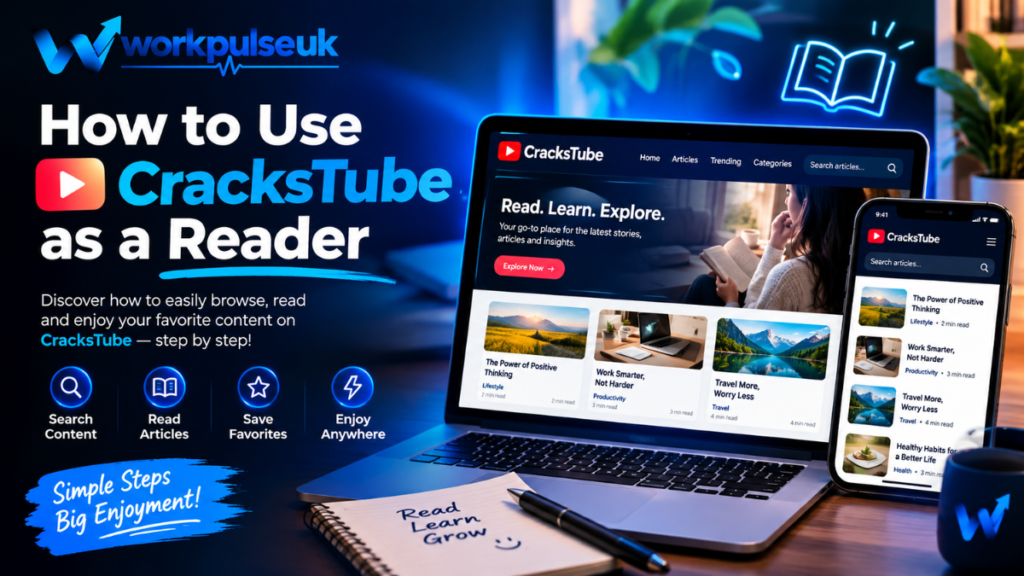
If your goal is simply to read articles, the process is straightforward.
Step 1: Check the domain
Before clicking around, look carefully at the website address in your browser.
This is especially important because several unrelated websites appear to use similar “Crackstube” terminology.
Don’t assume that a website is connected to Crackstube.com simply because the logo or page title contains a similar word.
Step 2: Look at the site’s main categories
Once you’re on the intended website, look through the navigation menu.
If you’re interested in technology, for example, you might find articles about software, online services, devices, or digital trends. Someone researching business may instead find articles about marketing or finance.
Step 3: Open the complete article
I recommend avoiding a common mistake: judging a website from its headline alone.
Read the article itself and look for:
- An identifiable author
- Publication or update date
- Clear explanations
- Relevant sources where appropriate
- Contact information
- Privacy and other site policies
Those details don’t automatically make a website trustworthy, but they give you more information to work with.
Step 4: Be careful with unexpected downloads
This is useful advice for almost any unfamiliar website.
If you visit a page expecting an article and suddenly receive a prompt to download an executable file, browser extension, APK, or other software, stop and think about whether the download actually relates to what you were trying to do.
A publishing site should not require you to install random software simply to read an ordinary article.
Is CracksTube a Software-Cracking Website?
This question comes up frequently because of the name.
For Crackstube.com, the available current information does not establish it as a software-cracking service. Its own public presentation is focused on digital publishing.
That doesn’t mean every website appearing in search results for “CracksTube” has the same purpose.
This is the distinction I would keep in mind:
| Search result | What you should do |
|---|---|
| Crackstube.com | Evaluate it as the publishing website it currently presents itself as |
| Similar-looking domain | Check ownership, content, policies, and purpose separately |
| Software download page | Verify the software source before downloading |
| Streaming page | Check whether the content is officially licensed |
| Unknown APK/download page | Treat the download cautiously |
The biggest mistake would be to assume that all of these websites belong to the same operator.
What About Guest Posting?
Another interesting part of Crackstube.com is its connection with guest publishing.
The website publicly promotes guest-post opportunities, and third-party marketplaces also list publishing placements associated with the domain.
This can be relevant to bloggers, publishers, businesses, and SEO professionals.
However, there is an important difference between a website accepting guest posts and a guest post being valuable.
If you’re considering publishing an article there, don’t make the mistake of looking only at the advertised price or a third-party SEO metric.
I’d check several things first:
- Read existing articles.
Are they useful, readable, and relevant to the audience you’re trying to reach? - Look at topical relevance.
A technology company publishing a useful technology article is easier to justify than placing a completely unrelated promotional article on a general site. - Check the publishing conditions.
Find out whether links are allowed, whether content is reviewed, and whether sponsored content is identified. - Review the final URL.
Don’t assume a published article will remain unchanged forever. - Avoid low-quality bulk submissions.
Sending the same generic article to dozens of sites is rarely a good long-term publishing strategy.
Third-party marketplace prices can also change, so a price mentioned elsewhere should not be treated as a permanent Crackstube.com rate.
A Practical Example: Using CracksTube for a Business Article
Imagine you run a small computer repair business.
You want to publish an article about common Windows laptop problems. Instead of writing a page that simply says, “Contact our company for laptop repair,” you could create something genuinely useful:
“7 Laptop Problems You Can Check Before Paying for a Repair”
The article could explain practical checks such as:
- Checking whether the charger is working
- Testing another power outlet
- Restarting the computer
- Checking storage space
- Looking for overheating
- Updating important drivers
- Backing up files before major repairs
Then, if the publishing rules allow it, the article could contain a natural reference to your business.
That’s much more useful than stuffing a page with commercial keywords.
The same principle works for software companies, educators, consultants, bloggers, and other publishers: the article should stand on its own even if the reader never clicks the promotional link.
Mistakes to Avoid When Researching CracksTube
The first mistake is assuming the name has only one meaning.
It doesn’t appear to.
Search results currently contain different descriptions of the term, so you need to separate Crackstube.com from unrelated websites using similar branding.
Mistake 1: Trusting the name
A domain name is not a safety certificate.
A professional-looking domain can still contain poor-quality content, while an unusual domain can host perfectly legitimate information.
Look at the actual website.
Mistake 2: Downloading something because a page says “required”
If a page unexpectedly tells you that you need a special player, extension, APK, or executable file to continue, don’t install it automatically.
Close the prompt and verify what you’re being asked to install.
On Windows, downloading unknown .exe files is particularly worth treating cautiously. On Android, don’t enable installation from unknown sources merely because a webpage tells you to.
Mistake 3: Confusing HTTPS with complete safety
Current technical information shows HTTPS support for Crackstube.com.
That’s useful because encrypted HTTPS connections help protect data while it travels between your browser and the website.
But HTTPS doesn’t tell you whether every article is accurate, whether an advertisement is trustworthy, or whether every third-party link is safe.
The padlock in your browser is not a complete reputation check.
Mistake 4: Believing every SEO statistic
If you’re researching Crackstube for guest posting, you may encounter traffic numbers, domain authority figures, or other SEO metrics on third-party websites.
These can be useful for comparison, but they are estimates and can change.
Don’t spend money solely because a marketplace displays an impressive-looking number.
Can You Access CracksTube on a Phone?
If you’re visiting the publishing website, a modern smartphone browser should be sufficient for normal web reading.
For example, on an Android phone you could use Chrome, while an iPhone user might use Safari or Chrome.
The same basic checks still apply:
- Confirm the domain.
- Avoid unexpected downloads.
- Don’t enter sensitive information unnecessarily.
- Check links before following them.
- Be cautious with aggressive pop-ups or redirects.
I prefer using a browser rather than installing an unofficial “CracksTube APK” found through a random search result. The reason is simple: an APK from an unknown source introduces another layer of risk that isn’t necessary for reading ordinary web articles.
Is CracksTube Safe?
There isn’t a useful one-word answer for every website using the name.
For Crackstube.com, available technical information confirms that the domain uses HTTPS and currently operates behind Cloudflare-related infrastructure.
But technical signals shouldn’t be confused with a guarantee that everything associated with a website is safe.
My approach with any unfamiliar site is to separate the questions:
Is the connection encrypted?
Check HTTPS.
Is the website what I expected?
Check the domain and its content.
Is a particular download trustworthy?
Check the software publisher and file source independently.
Should I enter personal or payment information?
Only do so when there is a clear reason and you understand who operates the service.
That approach is much more reliable than asking whether an entire domain is simply “safe” or “unsafe.”
Why the Exact Domain Matters So Much
This is probably the most useful thing to remember about CracksTube.
Suppose you search Google for “CracksTube” and see five results. Two may discuss publishing, one may discuss software, another may discuss streaming, and another may be an article written purely for SEO traffic.
Seeing the same keyword doesn’t establish a relationship between those websites.
Current search evidence specifically shows this problem: Crackstube.com presents itself as a digital publishing platform, while other pages use the same or similar name for very different online services.
So before you trust a review, recommendation, or warning, ask:
Which exact domain is this information talking about?
That single question can eliminate a surprising amount of confusion.
Final Thoughts
CracksTube is a good example of why internet research sometimes requires more than reading the first search result.
If you’re referring specifically to Crackstube.com, current public information describes it as a multi-category digital publishing platform with articles covering areas such as technology, finance, education, and business, along with guest-post opportunities.
At the same time, the broader “CracksTube” search term appears in connection with unrelated websites and services. Those should not automatically be treated as part of the same platform.
Whether you’re simply reading an article or considering a guest post, the safest habit is to slow down for a moment, verify the domain, inspect what the site actually offers, and avoid making assumptions based on the name alone.